
Employability
7 min read
Job Bank Resume Builder: How to Create a Canada-Approved Resume in 2026
Synopsis
Learn how to use the Job Bank resume builder at jobbank.gc.ca and create ATS-friendly resumes that meet Canadian employer standards in 2026.
Canada's Job Bank is one of the country's most important employment platforms, connecting job seekers with thousands of employers across provinces and industries. If you're looking for work in Canada, understanding how to use the Job Bank resume builder at jobbank.gc.ca—and how to optimize your resume for Canadian hiring standards—can significantly improve your application success.
This guide explains how the Job Bank resume builder works, what Canadian employers expect, and how external resume tools can help you create a professional, ATS-friendly document that works seamlessly with the official government platform.
What is the Job Bank Resume Builder?
The Job Bank resume builder is a free online tool provided by the Government of Canada at jobbank.gc.ca. It allows job seekers to create, store, and manage resumes directly within their Job Bank profile. Once built, your resume can be shared with employers posting jobs on the platform, streamlining the application process.
Key Features of the Job Bank Resume Builder
- Free access for all Canadian job seekers
- Profile integration that saves your resume in one central location
- Employer visibility for jobs posted on Job Bank
- Canadian formatting standards built into the system
- Export options to download your resume for other applications
The tool is designed to meet baseline requirements for Canadian resumes, but it offers limited customization and no feedback on content quality or ATS optimization.
Why Canadian Resume Standards Matter
Canadian resumes follow specific conventions that differ from other countries. Understanding these standards is essential whether you use the Job Bank resume builder, an external tool, or both.
Canadian Resume Expectations
Length and Format
Canadian employers expect concise, well-structured resumes. One page is typical for students and entry-level candidates. Two pages are acceptable for experienced professionals. Longer resumes are rarely needed outside academic or research roles.
Content Standards
Resumes should focus on skills, achievements, and measurable results. Canadian employers value clarity and directness. Avoid vague statements or generic descriptions.
What to Exclude
Unlike some countries, Canadian resumes do not include:
- Photographs
- Age or date of birth
- Marital status
- Social insurance number
- Personal details unrelated to work
Section Structure
Standard sections include:
- Contact information
- Professional summary or objective (optional)
- Work experience
- Education
- Skills
- Certifications or volunteer work (if relevant)
How the Job Bank Resume Builder Works
Using the Job Bank resume builder is straightforward. Once you create an account on jobbank.gc.ca, you can access the resume tool from your profile dashboard.
Step-by-Step Process
1. Log into Your Job Bank Account
Visit jobbank.gc.ca and sign in. If you don't have an account, registration is free.
2. Navigate to the Resume Builder
Access the resume builder from the "My Resume" section of your profile.
3. Enter Your Information
Fill in sections for contact details, work history, education, skills, and certifications. The system prompts you for each field.
4. Save and Review
Preview your resume to ensure formatting is clean and information is accurate.
5. Apply to Jobs
Once saved, you can apply to Job Bank postings directly using your stored resume.
Limitations of the Built-In Tool
While functional, the Job Bank resume builder has constraints:
- Limited formatting options
- No ATS optimization feedback
- Basic templates with minimal visual appeal
- No keyword analysis or content suggestions
Many job seekers find it helpful to prepare their resume using an external builder, then upload or copy the content into the Job Bank system.
Using an External Resume Builder for Canada
External resume builders offer features the Job Bank tool does not, including ATS optimization, professional templates, and content guidance. These tools help you create a polished resume that can be uploaded to jobbank.gc.ca or used for applications elsewhere.
Benefits of External Resume Builders
ATS Compatibility
Most Canadian employers use Applicant Tracking Systems to screen resumes. External builders help ensure your document passes ATS parsing without formatting errors.
Professional Design
Modern templates create a stronger first impression while remaining clean and readable.
Content Optimization
Tools like Yotru provide keyword suggestions, achievement coaching, and phrasing improvements tailored to Canadian hiring standards.
Flexibility
You can create multiple versions of your resume for different roles, then upload the most relevant one to Job Bank.
Step-by-Step: Building a Job Bank-Approved Resume
Whether you use the Job Bank resume builder, an external tool, or both, following a structured process ensures your resume meets Canadian employer expectations.
Step 1: Gather Your Information
Before you begin, collect all relevant details:
- Work history with job titles, employers, dates, and responsibilities
- Education including institutions, degrees, and completion dates
- Skills relevant to your target role
- Certifications, licenses, or professional memberships
- Volunteer work or community involvement (if applicable)
Step 2: Choose a Resume Format
Canadian resumes typically use one of three formats:
Chronological
Lists work experience in reverse order. Best for candidates with steady employment history.
Functional
Emphasizes skills over job titles. Useful for career changers or those with employment gaps.
Combination
Blends skills and work history. Effective for experienced professionals with diverse backgrounds.
Most Canadian employers prefer chronological or combination formats.
Step 3: Write Clear, Results-Oriented Content
Focus on achievements rather than duties. Use bullet points to highlight measurable results.
Weak example:
"Responsible for customer service and sales"
Strong example:
"Increased customer retention by 18% through proactive follow-up and issue resolution"
Include keywords from job postings naturally within your descriptions. This improves ATS performance and demonstrates alignment with employer needs.
Step 4: Optimize for ATS
Applicant Tracking Systems scan resumes for keywords, formatting, and structure. To ensure your resume passes:
- Use standard section headings
- Avoid tables, text boxes, or graphics
- Save as a Word document or plain PDF
- Include relevant keywords from the job description
- Spell out acronyms on first use
Step 5: Upload to Job Bank
Once your resume is complete, log into jobbank.gc.ca and upload it to your profile. Review the final version to confirm formatting remains intact.
Best Practices for Canadian Resumes
Tailor Your Resume for Each Application
Generic resumes rarely perform well. Review the job posting and adjust your resume to reflect the specific skills and experience the employer is seeking.
Use Canadian English Spelling
Canadian English follows British conventions in some areas (e.g., "colour," "labour") but American conventions in others (e.g., "organize" instead of "organise"). When in doubt, use Canadian English consistently.
Highlight Canadian Experience
If you are new to Canada, include any local volunteer work, certifications, or training programs. Canadian employers value context and local knowledge.
Keep Formatting Simple
Avoid elaborate designs, colors, or graphics. A clean, professional layout ensures your resume is readable by both ATS and human reviewers.
Proofread Thoroughly
Spelling and grammar errors undermine credibility. Review your resume carefully, or ask someone else to check it before submitting.
Common Mistakes to Avoid
Including Personal Information
Do not add age, marital status, photos, or other personal details. Canadian privacy standards and anti-discrimination laws make these inappropriate.
Using Generic Language
Avoid vague phrases like "hardworking" or "team player" without evidence. Support claims with specific examples.
Overloading with Keywords
While keywords are important, unnatural repetition harms readability. Use them strategically within context.
Submitting Multi-Page Resumes Unnecessarily
Unless you have extensive experience, keep your resume to one or two pages.
Ignoring ATS Requirements
Fancy formatting may look good to you but could fail ATS parsing. Prioritize function over design.
Recommended Resume Builders for Canada
Several external resume builders are designed for Canadian job seekers. Each offers different features depending on your needs.
Yotru
Yotru is an ATS-friendly resume builder designed for clarity and speed. It offers Canadian-focused templates, keyword optimization, and content coaching. The platform is especially useful for students, recent graduates, and early-career professionals.
Key features:
- Canadian resume templates
- AI-powered content suggestions
- ATS compatibility checks
- Easy export to Word or PDF
- Fast integration with Job Bank
Jobscan
Jobscan compares your resume against job descriptions and provides detailed ATS feedback. It is useful for optimizing keyword density and identifying missing skills.
Resume Worded
Resume Worded offers line-by-line feedback and scoring. It is effective for improving phrasing and identifying weak sections.
Canva
Canva provides visually appealing templates, though many are not ATS-friendly. Use Canva only for roles where design matters and ATS is not a concern.
How Yotru Supports Canadian Job Seekers
Yotru was designed to simplify resume building without sacrificing quality. It combines professional templates with intelligent content coaching, helping job seekers create resumes that work in real hiring systems.
Why Yotru Works for Canadian Applicants
Canadian-Focused Templates
All templates follow Canadian resume conventions, ensuring compatibility with employer expectations and the Job Bank system.
ATS Optimization
Yotru checks your resume for common ATS issues, including formatting errors, missing keywords, and poor section structure.
Content Guidance
The platform suggests stronger phrasing, achievement-oriented language, and relevant skills based on your work history.
Speed and Simplicity
Most users complete their resume in under 10 minutes. The interface is intuitive and requires no prior resume-building experience.
Flexible Export Options
Download your resume in Word or PDF format, ready for upload to Job Bank or direct employer applications.
Uploading Your Resume to Job Bank
Once your resume is complete, uploading it to jobbank.gc.ca is straightforward.
Upload Process
1. Log into Your Job Bank Account
Visit jobbank.gc.ca and sign in.
2. Navigate to Your Profile
Access the "My Resume" section from your dashboard.
3. Upload or Paste Your Resume
You can upload a Word document or PDF, or copy and paste content directly into the Job Bank resume builder.
4. Review Formatting
Check that sections, headings, and bullet points display correctly.
5. Save and Apply
Once saved, your resume is ready for use in Job Bank applications.
About the Author

Team Yotru
Employability Systems
Team Yotru
Employability Systems
We build practical career tools for training providers and workforce programs, combining labor market insights with real employment outcomes. Follow us on LinkedIn.
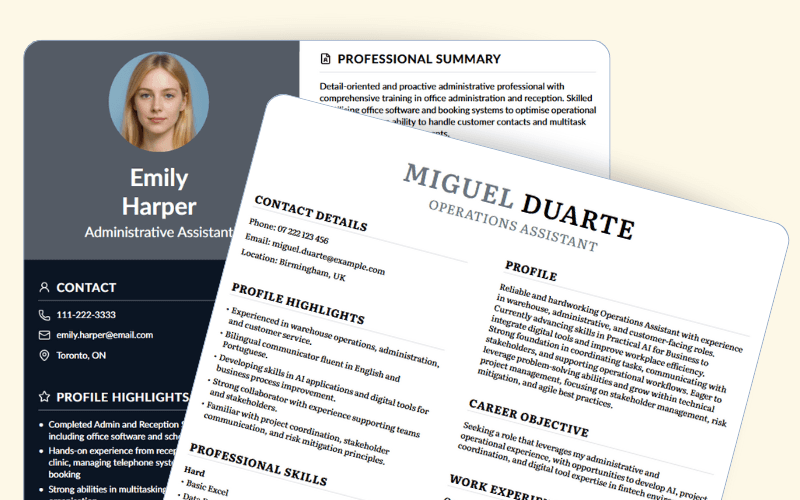
ATS optimized resumes with Yotru
Continue Reading
More insights from our research team

IT Project Manager Resume 2025: Tips, Examples, & Keyword Strategy for IT PMs
Written for IT professionals at any level, this guide covers how to structure an IT project manager resume that passes ATS, impresses recruiters, and shows the metrics-driven leadership hiring managers look for.
4 min read

How to Handle 5 of the Toughest Job Interview Questions (Without Freezing)
For job seekers who freeze under pressure. This guide breaks down five of the toughest interview questions and gives you clear frameworks to respond with confidence.
3 min read


Do You Have to Disclose Your Salary in an Interview?
Being asked about your current salary in an interview is uncomfortable for many candidates. This guide explains what you're legally required to share, why the question gets asked, and how to redirect it without hurting your chances.
4 min read