
Platform
6 min read
Download Your Resume as Word: Why It Matters and How to Keep Control
Synopsis
Most employers still expect Word resumes. Learn why downloading as .docx matters, and why keeping your master resume in Yotru gives you better control, cleaner structure, and ATS optimization.
For most job seekers, exporting a resume as a Word document is non-negotiable. Employers, recruiters, and institutional workflows still rely heavily on .docx files, especially when resumes move between applicant tracking systems, email, and internal review.
At the same time, the most reliable way to keep a resume consistent, up to date, and aligned with your actual target roles is to maintain it in a structured platform. This guide explains the practical advantages of downloading your resume as Word and why keeping your official version inside Yotru ultimately gives you more control, less clutter, and a better outcome across applications.
This feature is part of the latest updates we have made going into the new year at Yotru.
Key Insight
Word exports give you flexibility. A structured source of truth gives you control. The best approach uses both: build in Yotru, export to Word when needed.
Why Word Exports Still Matter in 2026
Even with modern hiring technology, Word remains a default standard in many hiring workflows. Understanding why can help you make better decisions about how you manage your resume.
Employer and recruiter expectations
Many employers and recruiters still expect resumes in .docx format. This is especially true when they use desktop tools, share files internally for review, or need to make quick annotations before passing your resume to a hiring manager.
Legacy portals and HR systems
Some institutional portals and older HR systems accept Word more reliably than PDF or rich-text formats. When resumes are uploaded or copy-pasted into these systems, .docx files tend to maintain formatting better than alternatives.
Editing flexibility for recruiters
When a recruiter wants to make localized edits (adjusting a title, adding a note, reordering bullets for a specific client), a Word file is often the easiest way for them to do that on their end. This is standard practice in staffing and recruiting.
ATS parsing reliability
While many modern applicant tracking systems handle multiple formats well, Word documents often parse more predictably than heavily designed PDFs. A clean .docx file reduces the risk of your information being scrambled when it enters an ATS.
Hint
If you are unsure what format an employer prefers, Word is usually the safer choice. Most job portals and recruiters can work with .docx files without issues.
The Problem with Building Directly in Word
Building a resume directly in Word might feel familiar, but it comes with hidden costs that become apparent over time.
- Inconsistent formatting after multiple edits
- Broken layouts when switching computers or Word versions
- No built-in understanding of ATS behavior
- No alignment to target roles or job descriptions
- Multiple versions scattered across folders and emails
- No keyword optimization guidance
- Manual work to maintain cover letter consistency
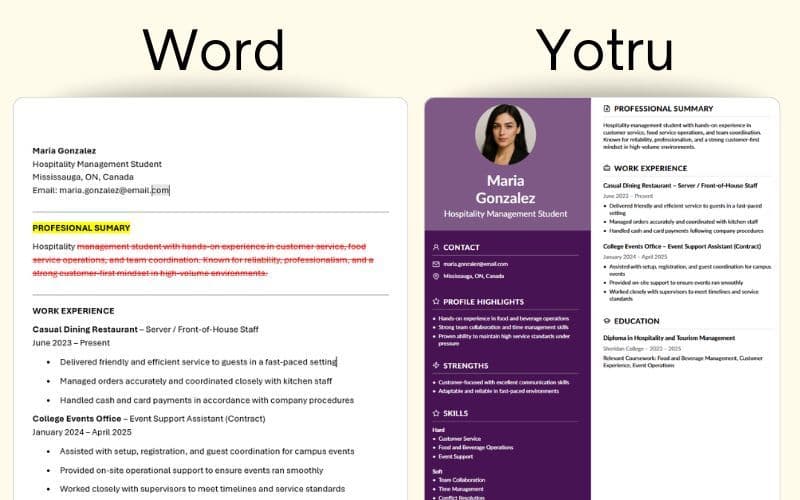
When you start from scratch in Word each time, you inherit all of these problems. The document looks fine on your screen, but it may render differently on the recruiter's system. The structure may not be optimized for how ATS software parses content. And without a central version, you end up managing dozens of slightly different files with no clear way to track what changed.
Why Building in Yotru First Changes the Outcome
When you generate your resume in Yotru first, then download as Word, you gain several advantages that manual Word editing cannot match.
Clean, consistent structure
Yotru keeps layout, headings, spacing, and sections standardized. The exported Word file starts from a clean, professional structure rather than a patched-together template. This reduces the risk of rogue fonts, misaligned bullets, and strange spacing creeping in after a few edits.
ATS-aware formatting
Because the structure is optimized for real hiring systems (not just visual design), the Word export carries over ATS-friendly section labels, ordering, and text hierarchy. That makes your downloaded resume more likely to parse correctly when uploaded to employer systems.
Target role alignment baked in
Inside Yotru, you can shape your resume around a target job or job family. This means prioritizing relevant skills, achievements, and keywords based on what employers in your target role actually look for. When you export to Word, that alignment is already built into the content, rather than something you try to retrofit manually at the last minute.
Keyword optimization in the right places
Effective resume keyword targeting requires placing relevant terms in your summary, skills section, and recent experience. Yotru helps you identify and position these keywords before export. The Word file you download already has this work done.
Cover letter integration
Your resume does not exist in isolation. Yotru can help you keep cover letters aligned to the same target role and keyword strategy. When you export a resume in Word, you can also generate matching content from within the same environment instead of rebuilding it document by document.
- Standardized, professional formatting
- ATS-optimized section structure
- Keywords placed in effective positions
- Target role alignment built in
- Cover letter consistency
- Single source of truth for all versions
Pro Tip
Before downloading your resume as Word, use Yotru's targeting features to align your content to the specific job posting. The exported file will already reflect that optimization.
Why Yotru Should Remain Your Source of Truth
Downloading as Word is useful. But if your resume only lives in Word, it quickly forks into multiple inconsistent copies. This is where Yotru's platform becomes essential: it acts as the single, structured source of truth you always come back to.
Maintain one clean master version
Instead of juggling dozens of slightly different Word files, you keep a canonical version inside Yotru that you refine over time. Word exports become snapshots for specific opportunities, not new branches you have to manage forever.
Use full targeting features
Within the app, you can align your resume to different target roles or job postings. You can adjust emphasis, skills, and examples without breaking the underlying structure. Each time you are ready to apply, you export a fresh Word file tailored to that opportunity.
Leverage formatting and structure safeguards
The app guards your layout for consistency and clarity. If something gets messy after heavy editing in Word, you can always regenerate a clean, ATS-aligned version from Yotru rather than trying to repair formatting manually.
Integrate related documents
Beyond resumes, Yotru helps you keep cover letters, role-specific variations, and supporting documents aligned with the same core profile. This consistency matters when employers review your full application package.
Iterate and improve over time
For individuals, keeping your resume on platform means you can iterate over time. You can update achievements, rebalance sections, and test different versions without losing track of what changed where.
A Practical Workflow: Use Both, But Let the App Lead
The most effective approach is not choosing between Yotru and Word. It is deciding which one is in charge.
Step 1: Build and refine your resume in Yotru
Set your target role or job family. Use the platform's structure, guidance, and optimization to get a clean, ATS-aligned resume. This is where your content, keywords, and formatting decisions happen.
Step 2: Export to Word when you need a submission file
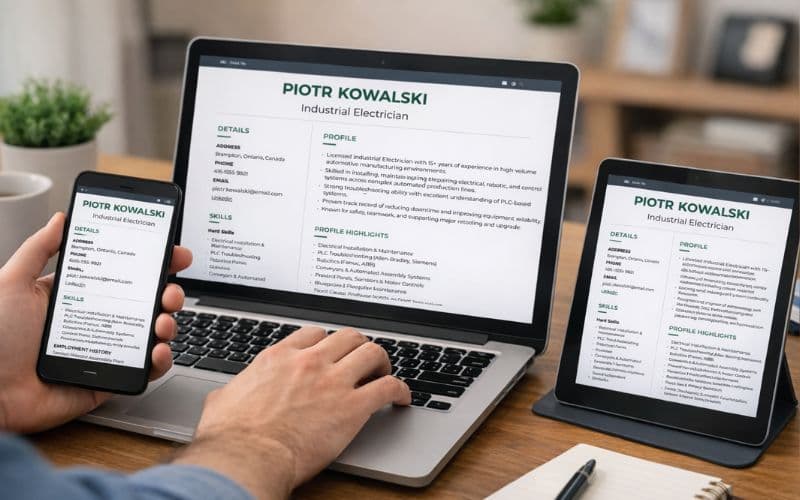
Download a .docx version when an employer, recruiter, or portal prefers or requires it. Make minor, job-specific edits in Word (such as adjusting a line for context or removing a small section) without reorganizing the whole document.
Step 3: Bring meaningful improvements back into Yotru
If a tweak you made in Word proves useful (for example, better phrasing or a stronger bullet point), update the canonical version in Yotru. That way, your master profile continuously improves, and every future export benefits.
Step 4: Repeat for each new opportunity
For each application, adjust targeting in Yotru, export a fresh Word file, and submit with confidence that the structure, optimization, and alignment are intact.
Hint
Think of Word as your delivery format and Yotru as your design and control center. The master always lives in the app.
The Bottom Line
Downloading your resume as a Word document is still important for compatibility, recruiter workflows, and quick one-off edits. But treating Word as the only home for your resume creates fragmentation and formatting risk.
When you build and maintain your resume in Yotru, then export to Word as needed, you keep the power of:
- Targeted content for specific roles
- Clean, consistent, ATS-aware structure that survives uploads
- Integrated cover letter and document logic aligned to the same profile
- A single, reliable source of truth you can always return to
Word is where you deliver and fine-tune. Yotru is where you design, optimize, and control the entire resume experience.
Ready to build a resume you can confidently export to Word? Start with Yotru and keep your job search organized from day one.
About the Author

Zaki Usman
Co-Founder of Yotru
Zaki Usman
Co-Founder of Yotru
Zaki is co-founder of Yotru, working at the intersection of workforce development, education, and technology to build systems that deliver job-ready career support at scale.
Frequently Asked Questions
All features described in this update are live and available on the Yotru platform at the time of publication.
Audience Context
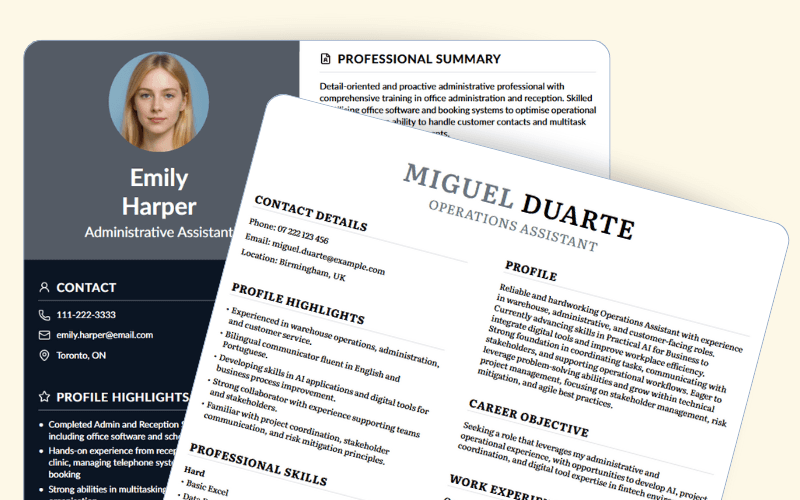
This article is for job seekers, educators, and partners who want to understand how Yotru is evolving its resume builder in practical ways. It explains how we approach templates, mobile use, photos, and partner tools, and why we design for real hiring systems rather than generic resume apps. Some sections include forward-looking statements about Yotru’s roadmap and the job market; these reflect current plans and good-faith expectations and may change as hiring practices and the platform evolve.
Disclaimer
This platform roadmap update describes features that are currently available on the Yotru platform at the time of publication. References to roadmap direction or future development reflect Yotru’s current plans and may change based on customer feedback, regulatory requirements, or operational considerations. This post is provided for informational purposes only and does not constitute a contractual commitment or guarantee of future functionality.
Further Insights
Platform and verticals
- Yotru Platform Overview
- Yotru for Educators and Career services
- Yotru for Workforce Programs
- Yotru for Recruitment Teams
- Yotru for Outplacement Services
Product & feature evolution
- Yotru Updates: Templates & Mobile — Founder update on Linkedin (July 2025)
- The Ultimate Guide to Resume Builders in 2026 — Framework for comparing resume tools in 2026.
- The New Generation of AI Resume Builders — What current builders miss and how Yotru responds.
- Why Yotru Is Built for Real Hiring — Design choices grounded in ATS and recruiters.
- AI Resume Builder vs ChatGPT — When a purpose-built builder beats generic AI.
- Yotru Launches New AI Resume Tools — Earlier launch context for these feature updates.
Templates, ATS, and examples
- The Secret Behind Yotru Templates — How templates are tuned for real screening.
- Top 10 Online Resume Builders Reviewed — Independent-style review of leading builders.
- Make Your Resume ATS-Friendly in 5 Minutes — Fast checklist for ATS-focused improvements.
- How to Build a Resume in Word — For users still starting from Word first.
- Yotru Resume Examples Library — 70+ resume samples aligned with real roles.
Programs, affiliates, and partners
- Yotru Launches Affiliate Program — How sharing Yotru turns into revenue.
- Digital Resume Tools for Correctional Facilities — Using Yotru in reentry programs.
- AI-Powered Platform for Organizations — Branded resume tools for cohorts and programs.
Research, behavior, and guidance
- AI Resume Tools and Inclusive Career Development — Risks and guardrails for equitable use.
- Resume Iteration as a Readiness Signal — How revision behavior can indicate readiness.
- What Resume Iteration Reveals — Insights from resume editing patterns.
- Measuring Guidance Impact Beyond Placement — Evaluating support, not just outcomes.
- Gloria Espina on Human-First Hiring — Suitability systems and human-centered design.
Resources
- Harvard Business School: The IKEA Effect — How effort increases ownership feelings.
- Interaction Design Foundation: IKEA Effect — Design perspective on effort and value.
- NACE: Career Readiness Competencies — Framework for graduate readiness signals.
- UNESCO: Career Guidance and the Future of Work — Global lens on guidance and technology.
- CIPD: Responsible Use of AI in HR — Principles for human-centered HR tech.
Maintained by: Platform & Systems Group at Yotru
Review cycle: Maintained inline with platform updates
Last updated: January 23, 2026
Questions or Need Support?
If you are working on employability programs, hiring strategy, career education, or workforce outcomes and want practical guidance, you are in the right place.
Yotru supports individuals and organizations navigating real hiring systems. That includes resumes and ATS screening, career readiness, program design, evidence collection, and alignment with employer expectations. We work across education, training, public sector, and industry to turn guidance into outcomes that actually hold up in practice.