

Campaign Inspiration
HubSpot and Postcards: Turn a Customer List Into a Direct Mail Campaign
If your customer data lives in HubSpot, you already have what a postcard campaign needs. Here's how to build the list, export it with addresses, mail it, and see the results back in HubSpot.
Jenna Gallo · Business Development Lead
· 4 min read

On this page13 sectionsClose
- Who in HubSpot is worth a postcard?
- Step 1: Build the list
- Step 2: Export it with the address properties
- Step 3: Upload to Yotru and write the card
- Step 4: Record who was mailed and follow up
- Frequently asked questions
- Can I send postcards from HubSpot?
- Which HubSpot properties do I need for a postcard?
- Do I need a HubSpot integration to send postcards?
- Should I mail contacts who unsubscribed from email?
- How do I track postcard results in HubSpot?
- Does this work for B2B companies using HubSpot too?
- References
To send postcards from HubSpot, build a list of the contacts you want to reach, export it with their address properties, and upload the file to a postcard service such as Yotru. Many online stores sync their orders into HubSpot, which means it already knows who bought, how often and whether they still open your emails. That is exactly what you need to decide who deserves a card instead of another email.
Who in HubSpot is worth a postcard?
The best candidates are customers who are valuable but hard to reach by email. A few lists to start with:
- Engaged once, silent now. Customers with past purchases whose last marketing email open date is months ago.
- Unsubscribed but still customers. People who opted out of marketing email may still welcome an occasional card. Decide your policy carefully and respect anyone who asked not to be contacted at all.
- Your best customers. High lifetime value, many orders or a large recent purchase, for a signed thank-you.
- Wholesale or business buyers. If you also sell to companies, HubSpot's company records make it easy to mail the buyer at each account.
Step 1: Build the list
Create a list (called a segment in newer HubSpot accounts) using the filters that define your group, such as lifecycle stage, purchase or deal properties, and email engagement properties. Add a filter for country so only addresses you can mail are included; Yotru mails to Canada, the United States and the Netherlands. Then add one more filter: street address is known. Contacts without an address can't receive a card.
Step 2: Export it with the address properties
Export the list as a CSV or Excel file and choose which properties to include. At a minimum you need first name, last name, street address, city, state or region, postal code and country. Add anything you want to use on the card, such as the last product purchased or the customer's company name. HubSpot sends a download link when the export is ready.
Step 3: Upload to Yotru and write the card
Upload the export, match the columns, and write one message per list. Every card can use the recipient's first name, city and any column you exported, and each one gets its own QR code. Keep the message short, give one clear reason to act, and sign it with a real person's name. See what can be personalized on a postcard for ideas. Review every recipient before you pay; production and mailing take about two to three days, and most cards arrive in about a week.
Step 4: Record who was mailed and follow up
This is where HubSpot pays off. Keep a static copy of the list you mailed, or import a simple property such as "Postcard sent date" for those contacts. That lets you build a follow-up email for a few days after delivery, assign calls for your most valuable customers, and later compare purchases between mailed and unmailed contacts. For timing the follow-up, see how to run an email and postcard sequence.
| Day | Channel | What happens |
|---|---|---|
| 0 | Yotru | Upload the HubSpot export, approve recipients and pay |
| About 7 to 10 | Mailbox | Most cards arrive (allow up to two to three weeks) |
| A few days after delivery | HubSpot email | Short follow-up referring to the card |
| Four to six weeks later | HubSpot report | Compare orders from mailed and unmailed contacts |
For the bigger picture on mailing past customers, read direct mail for ecommerce.
Frequently asked questions
Can I send postcards from HubSpot?
Yes. Build a list of the contacts you want to reach, export it with their address properties and upload the file to Yotru, which prints and mails a personalized card to each contact.
Which HubSpot properties do I need for a postcard?
First name, last name, street address, city, state or region, postal code and country. Add any other property you want to print on the card.
Do I need a HubSpot integration to send postcards?
No. With Yotru you export the list from HubSpot and upload it, so there is nothing to install or connect.
Should I mail contacts who unsubscribed from email?
That's your call. Email opt-out covers email only, but respect anyone who has asked not to be contacted at all, and make sure your privacy policy covers marketing by mail.
How do I track postcard results in HubSpot?
Record who was mailed with a static list or a postcard sent date property, use unique QR codes or offer codes on the cards, and compare purchases or deals between mailed and unmailed contacts.
Does this work for B2B companies using HubSpot too?
Yes. The same export and upload steps work for contacts at target accounts, open deals or past customers in a B2B pipeline.
References
Jenna Gallo
Business Development Lead
Jenna Gallo works in business development at Yotru, covering startup growth, product strategy, and how founders use market insights and targeted outreach to attract customers and grow their businesses.
Keep reading
Insights & Trends
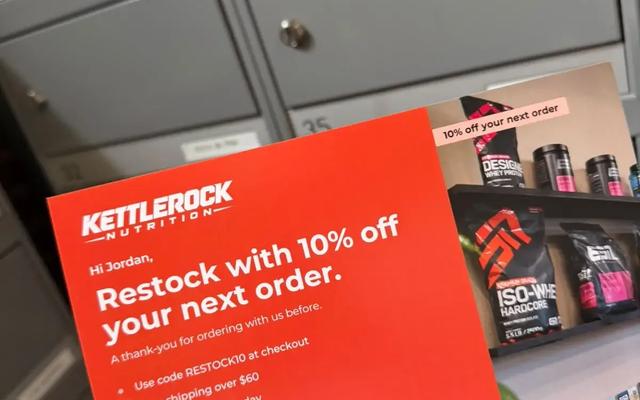
Direct Mail for Ecommerce: How Online Stores Use Postcards to Bring Customers Back
Direct mail for ecommerce works best on people who have already bought from you. Here's which customers to mail, when a postcard beats another email, and how to run both together.
Jenna Gallo
5 min read
Campaign Inspiration
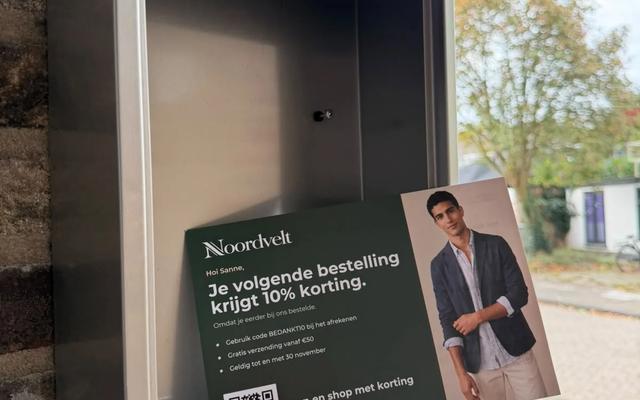
Klaviyo and Direct Mail: When Your Email Segments Need a Postcard
Klaviyo is great at telling you who stopped opening your emails. Those are often the customers a postcard can still reach. Here's how to export the right Klaviyo segments and mail them.
Chinedu Okafor
4 min read

Campaign Inspiration
How to Send Postcards to WooCommerce Customers: Export, Segment and Mail
WooCommerce tells you who your best and quietest customers are; your orders hold their mailing addresses. Here's how to put the two together and mail a postcard to the right customers.
Erol Branovic
4 min read
Work with Yotru
Mail your HubSpot list
Export a list from HubSpot, upload it and review every recipient before you pay. Every card carries its own QR code.