

Behind the scenes
How We Built the Yotru Postcard API: Three Calls, and Only One Costs Money
Send personalized postcards from your own software, with no design file needed. Building and testing is free, you only pay when you approve, and you see which recipient responded.
· 3 min read
Lees dit artikel in het Nederlands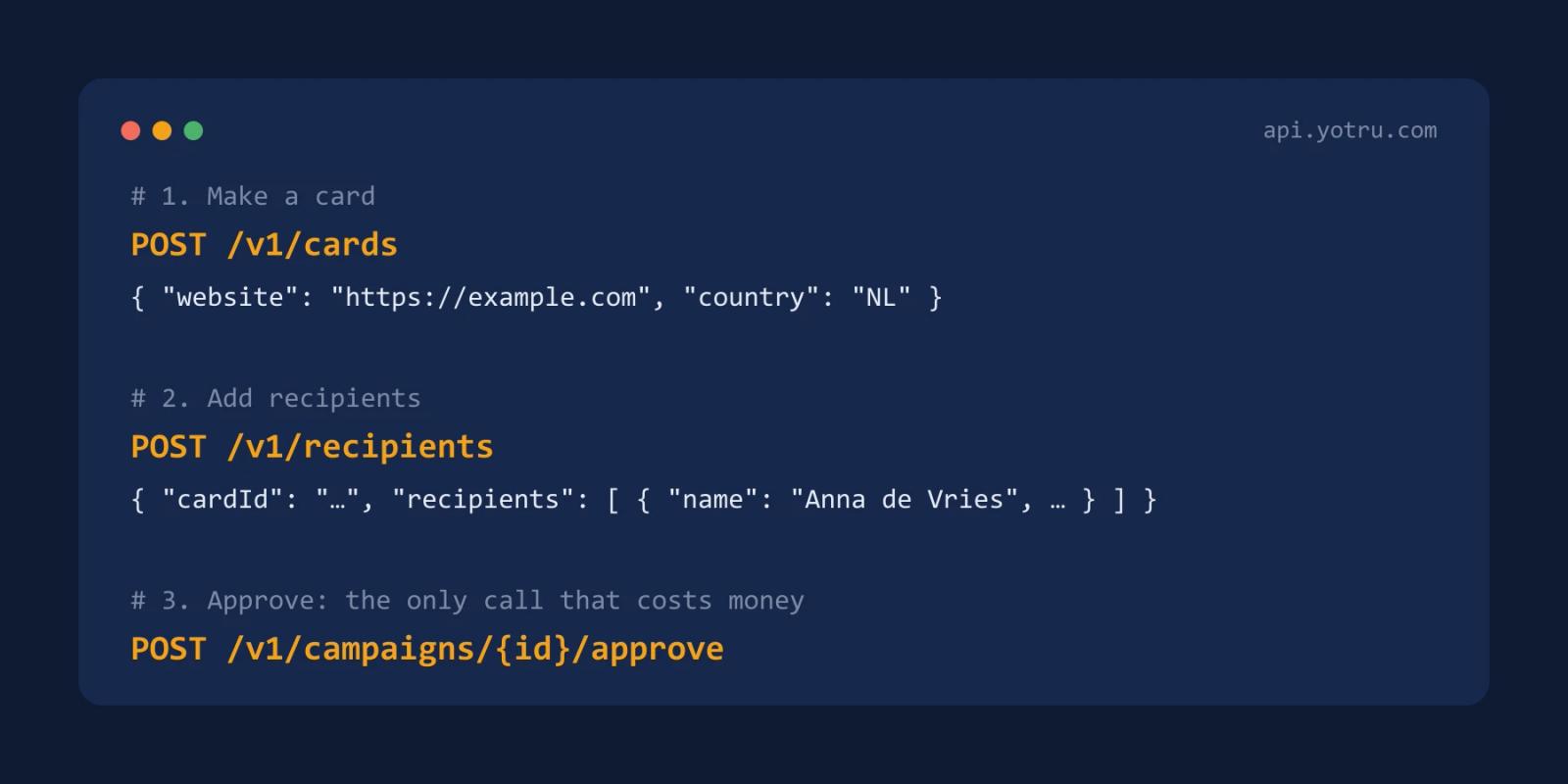
On this page12 sectionsClose
- Why an API?
- How does it work in three calls?
- What do you get back?
- Free to build, pay when you approve
- What happens to an address that is wrong?
- What does it cost?
- What is good to know before you build?
- How do you start?
- Frequently asked questions
- Can you test the API for free?
- How many recipients can you send at once?
- Is there a minimum number of cards?
Yotru's API sends personalized postcards from your own software. You make a card, add recipients and approve the campaign. Only that last step costs money. You do not need a design file: the card is built from your website. This post explains why we set it up that way.
Why an API?
We launched it in November 2026. The request came from a customer who wanted to send cards from their own system, without exporting a list and uploading it to us every time.
Plenty of businesses are in the same spot. A CRM knows when someone has been a customer for a year. A store knows who has not ordered in six months. A booking system knows who missed an appointment. With the API, that system queues the postcard itself.
How does it work in three calls?
| Step | Call | What happens |
|---|---|---|
| 1 | POST /v1/cards | You make a card. Anything you leave out comes from the template or is read from your website |
| 2 | POST /v1/recipients | You add up to 1,000 recipients per call. The first call opens a campaign by itself |
| 3 | POST /v1/campaigns/{id}/approve | You approve. The answer contains a payment link |
GET /v1/cards/{id}/preview/front returns the image exactly as it will be printed. Every card gets its own QR code, the same as an order placed on the site. The full reference is in the API documentation.
What do you get back?
You see which recipient scanned the QR code on their card. It shows in your dashboard, and you can get a notification by email or Slack the moment it happens. A card your software queues on Tuesday can turn into a phone call on Friday with someone who has just read it.
Free to build, pay when you approve
Making a card, fetching a preview and adding recipients costs nothing. You pay when you approve a campaign. So you can build and try the whole integration before you spend a cent.
There is no separate sandbox to set up. From the first call you work with the real result: the preview you fetch is the same image that goes to the printer.
What happens to an address that is wrong?
That one address is refused and the rest go through. Each recipient comes back as accepted with an id, or as refused with a reason, such as address or duplicate. Your system knows what went wrong on each row and does not have to resend the whole list.
If you send the same call twice by accident, an Idempotency-Key header keeps people from landing on the list twice.
What does it cost?
The same as an order placed on the site. There is no minimum: you pay for the cards on the campaign. Below 100 cards, each one costs the per-card price for 100. Prices are on the pricing page.
What is good to know before you build?
- A person checks every batch before it prints. After you approve, someone on our side looks at the batch before it goes to the printer. A mistake on a thousand printed cards cannot be taken back.
- You build with ten templates. You fill them with your own text, colors, logo and photo.
- Status is one call away. A campaign is open, awaiting payment, approved, printing or sent.
How do you start?
Make an account and open Settings, then API. Your first key is made when you open that page, and it is shown once. You have to be an owner or admin of the account, with a confirmed email address. Then follow the four steps in the API documentation.
Frequently asked questions
Can you test the API for free?
Yes. Making cards and adding recipients costs nothing. You only pay when you approve a campaign.
How many recipients can you send at once?
Up to 1,000 per call. Each key is limited to 120 calls a minute.
Is there a minimum number of cards?
No. Below 100 cards you pay the per-card price that goes with 100.
Keep reading

Behind the scenes
Yotru's Website Is Launching in Quebec French
Bonjour-hi! More visitors from Quebec are finding Yotru, so we're launching our website in Quebec French. Here's what's changing and why it matters to us.
3 min read

Insights & Trends
The Contacts: Who Should Receive Your B2B Postcard?
Send your postcard to named people who can act on the offer: the person who owns the problem and, for bigger deals, the person who approves the spend. Here's an example account with several recipients and what each one gets.
6 min read

Insights & Trends
Direct Mail vs Corporate Gifting for ABM: Cost, Use Cases and Trade-Offs
Postcards, letters, gifts or packages? A plain comparison of direct mail and corporate gifting for account-based marketing, with when each one earns its cost.
3 min read
Work with Yotru
Sending postcards from your own software?
Make an account, open Settings and then API, and your first key is ready. Building and testing is free.