
Insights & Trends
How to Track Direct Mail Responses, Meetings and Revenue
Tracking direct mail means following each card from delivery to scan, meeting and revenue. Here's a setup you can build before you send a single postcard.
Erol Branovic · Marketing Specialist
· 4 min read
On this page16 sectionsClose
- The five numbers worth tracking
- Step 1: Give every recipient a unique QR code
- Step 2: Tag the campaign in your CRM before you mail
- Step 3: Catch the responses that skip the QR code
- Step 4: Hold back a comparison group
- Step 5: Pick a time window and stick to it
- Reading the results
- Frequently asked questions
- How do you track direct mail responses?
- Can you tell who scanned a postcard QR code?
- How do you measure meetings from direct mail?
- How long after mailing should you measure results?
- What is a control group in direct mail?
- What if people respond without scanning the QR code?
- Should I use UTM parameters on direct mail?
- References
To track direct mail properly, you need to connect four things: who you mailed, who responded, who met with you, and who bought. A unique QR code per recipient handles the first two. Your CRM handles the rest. Set it up before you mail, because you can't add tracking to cards that are already in the post.
For the list of metrics on their own, see what to track in a direct mail campaign. This post is about the setup that makes them possible.
The five numbers worth tracking
| Stage | What it tells you | Where it comes from |
|---|---|---|
| Cards mailed | Your starting list, by account and person | Your mailing file |
| Responses | Who scanned, visited or replied | Unique QR codes, landing page |
| Meetings | Who agreed to talk | CRM activity |
| Opportunities | Who entered your pipeline | CRM deals |
| Revenue | What the mailed accounts bought | CRM closed-won |
Step 1: Give every recipient a unique QR code
One QR code for the whole campaign tells you how many people scanned. A unique code per person tells you who. That's the difference between a number in a report and a name sales can call. More on static versus unique QR codes.
Step 2: Tag the campaign in your CRM before you mail
Add the mailed contacts to a campaign or list in your CRM, with the send date. Add a field for "scanned" and the scan date. Now any meeting or deal on those accounts can be traced back to the mail, even if the person never scans and simply replies to your follow-up email.
Step 3: Catch the responses that skip the QR code
Plenty of people read the card, then type your website into a browser or reply to a later email. To catch them:
- Use a short, memorable URL on the card that only appears in the mail.
- Ask "How did you hear about us?" on your booking form, with "A postcard" as an option.
- Have reps log it when a prospect mentions the card on a call.
Step 4: Hold back a comparison group
This is the step most teams skip, and it's the one that answers "did the mail actually work?" Split your list in two. Mail one half. Leave the other half to your normal outreach. After 60 to 90 days, compare meetings and pipeline per account between the two groups. The difference is what the card added.
If your list is small, the comparison will be rough. That's fine. A rough answer beats a guess.
Step 5: Pick a time window and stick to it
Most scans happen in the first couple of weeks after delivery, but meetings and deals take longer. Decide up front how long you'll credit the campaign, for example 90 days for meetings and the length of your normal sales cycle for revenue. Here's more on attributing leads to direct mail.
Reading the results
Look at each stage in order. Low scans usually point to the message or the offer. Scans without meetings usually point to the landing page or slow follow-up. Meetings without deals usually point to the list: you reached interested people who weren't a good fit. Each number tells you what to fix next.
Once you have the numbers, turn them into cost per meeting and cost per customer. We show the math in B2B direct mail ROI.
Frequently asked questions
How do you track direct mail responses?
Give each recipient a unique QR code, tag the mailed contacts in your CRM, and capture responses that come in other ways with a mail-only URL and a "how did you hear about us" question.
Can you tell who scanned a postcard QR code?
Yes, if each card carries its own unique code tied to the recipient. A single shared code only tells you how many scans happened.
How do you measure meetings from direct mail?
Track meetings booked with mailed contacts in your CRM within a set window after delivery, and compare that rate to a similar group you didn't mail.
How long after mailing should you measure results?
Most scans come in the first few weeks. Give meetings around 90 days and revenue the length of your typical sales cycle.
What is a control group in direct mail?
A similar set of accounts you deliberately don't mail. Comparing results between the two groups shows what the mail actually added.
What if people respond without scanning the QR code?
Tag mailed accounts in your CRM so any meeting or deal from them is credited, and ask new leads how they heard about you.
Should I use UTM parameters on direct mail?
Yes. Add UTM parameters to the URL behind your QR code so mail traffic shows up as its own campaign in your web analytics.
References
Erol Branovic
Marketing Specialist
Erol Branovic is a sales-focused marketing professional at Yotru, covering B2B messaging, sales outreach, and how businesses communicate their value to decision-makers through direct mail and personalized campaigns.
Keep reading
Campaign Inspiration
Direct Mail for SaaS Companies: How to Build a Demo-Booking Campaign
Direct mail works for SaaS when it's built around one outcome: a booked demo with the right person. Here's how to pick accounts, write the card and turn a scan into a meeting.
Jenna Gallo
4 min read

Insights & Trends
How Much Does a B2B Direct Mail Campaign Cost? A Budget for 100, 500 and 1,000 Accounts
A B2B postcard campaign costs less than most teams expect. Here's what 100, 500 and 1,000 accounts cost on a 6×9 card, and the costs that sit outside the card price.
Chinedu Okafor
4 min read
Insights & Trends
QR Codes for Direct Mail: Setup, Tracking and Landing Page Examples
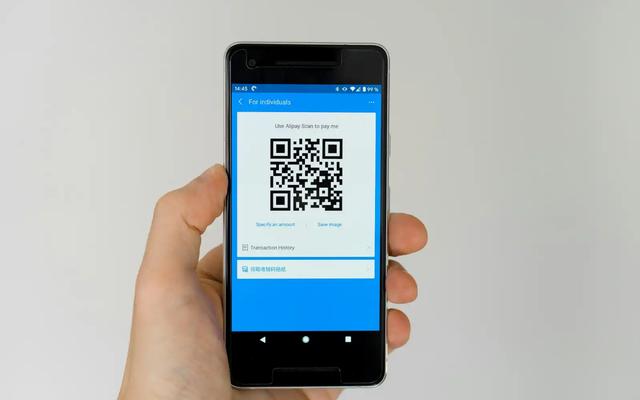
How to set up QR codes on a postcard so every scan is tracked to a person and lands on a page worth scanning for. Setup steps, UTM tags and landing page examples.
Erol Branovic
4 min read
Work with Yotru
Want tracking built in from the start?
Every Yotru card gets its own QR code, tied to the person it was sent to, with alerts when someone scans. You see who responded before the next wave goes out.