
Employability
13 min read
Executive Assistant Resume Keywords 2026: 150+ ATS Skills That Get Interviews
Synopsis
Get 150+ updated executive assistant resume keywords for 2026, including ATS-friendly skills, sector-specific terms, and practical examples to help you pass screening and secure EA interviews.
Why Executive Assistant Keywords Matter
In today's job market, 91% of companies use Applicant Tracking Systems (ATS) to screen resumes before they reach hiring managers. For executive assistant roles, where organizational skills, discretion, and efficiency are critical, the right keywords can make the difference between landing an interview and getting filtered out.
Key Insight
Executive assistant keywords determine whether your resume is seen at all. ATS software filters applications before human review, and without the right role and industry-specific terms, qualified candidates can be screened out. Using the correct keywords ensures your experience is recognised, ranked accurately, and passed through to hiring managers.
The Reality of ATS Screening
Here's what happens when you submit your resume:
- ATS scans for keywords from the job description
- Ranks your resume based on keyword matches (typically 60%+ match needed)
- Filters out resumes below the threshold
- Sends top matches to human reviewers
If your resume lacks the right keywords, it may never reach a hiring manager's desk, even if you're perfectly qualified.
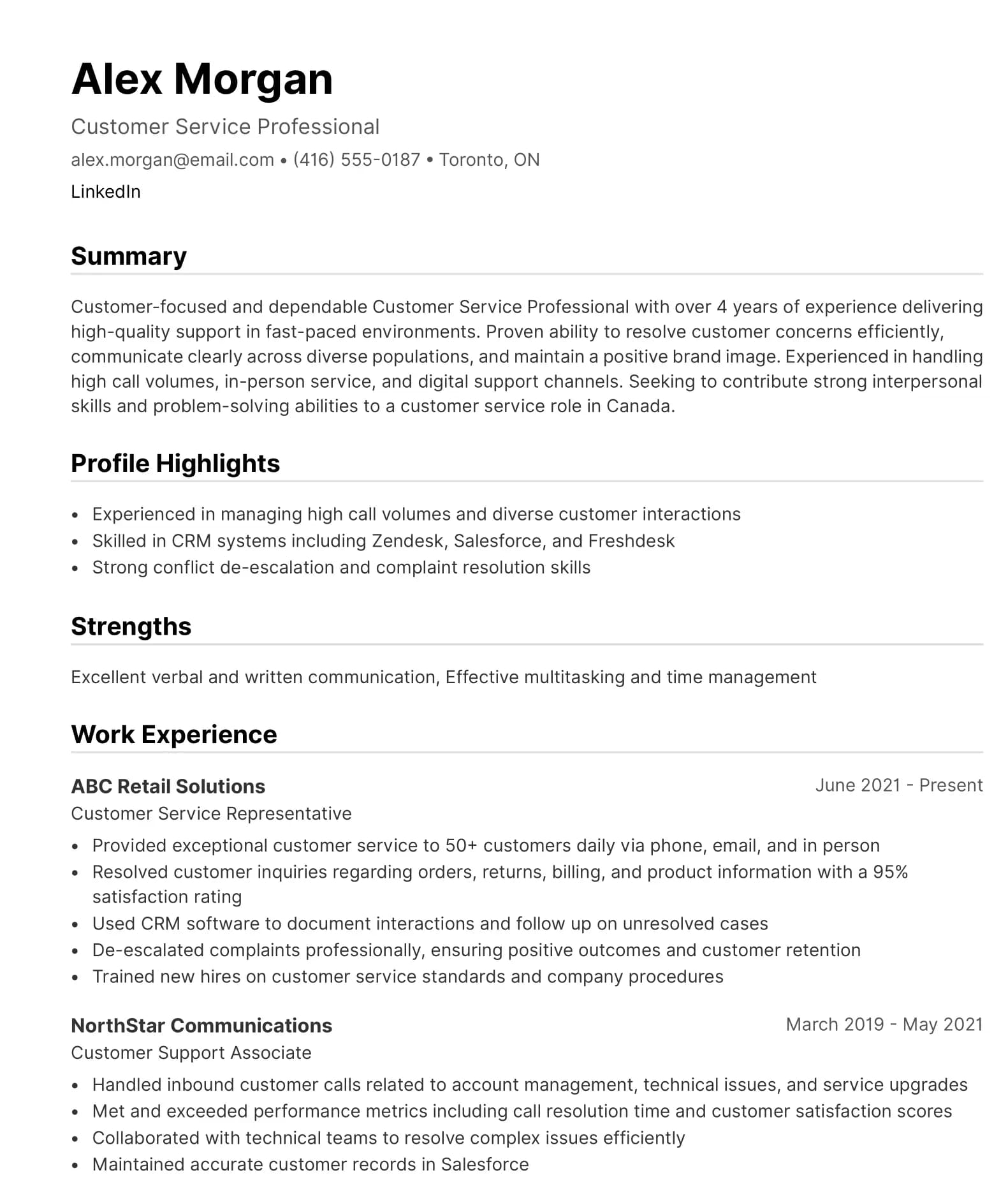
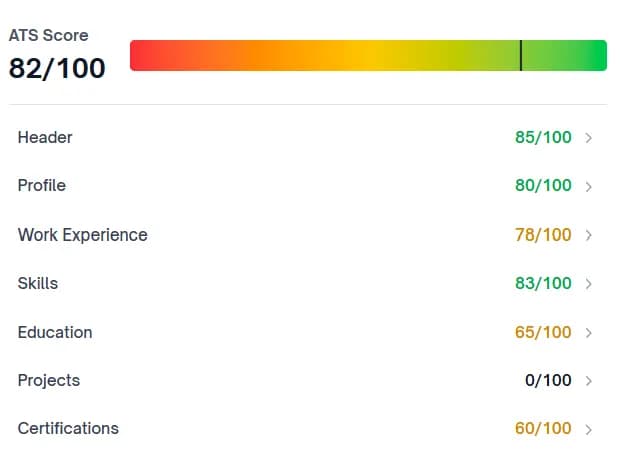
ATS-Optimized resumes That Meet Employer Standards
Our AI-powered scoring system helps organizations assess and standardize resume quality at scale. ATS-compliant templates support consistent formatting, keyword alignment, and interview readiness across cohorts.
What Keywords Do for Your EA Resume
Including the correct terms helps you:
- Pass ATS filters and stay in the running
- Show hiring managers you understand the role
- Highlight specialized skills for specific industries (legal, finance, tech)
- Demonstrate technical proficiency with modern tools
- Stand out from generic applications
What Keywords Should Be on an Executive Assistant Resume? (Quick Answer)
The most important executive assistant resume keywords fall into four categories:
Core Administrative Skills
- Calendar Management
- Travel Coordination
- Meeting Preparation
- Executive Communications
- Expense Reporting
Technical Proficiencies
- Microsoft Office Suite (Word, Excel, PowerPoint, Outlook)
- Google Workspace (Gmail, Calendar, Docs, Sheets)
- Video Conferencing (Zoom, Teams, Webex)
- Project Management Tools (Asana, Monday, Trello)
Strategic Competencies
- Board Meeting Coordination
- Budget Management
- Vendor Relations
- Cross-Functional Collaboration
Soft Skills Integration
- Confidentiality and Discretion
- Proactive Problem-Solving
- Professional Communication
- Time Management
Top Executive Assistant Keywords (Core Skills)
These keywords appear most frequently across EA job postings and apply to virtually all industries and experience levels:
Administrative Excellence
- Calendar Management — Coordinating executive schedules across time zones
- Travel Coordination / Travel Planning — Domestic and international itinerary management
- Meeting Preparation / Meeting Coordination — Agenda creation, logistics, materials
- Document Management — Filing systems, version control, cloud storage
- Expense Reporting / Expense Management — Receipt tracking, reimbursement processing
Communication & Coordination
- Executive Support / Executive Communications — C-suite liaison and correspondence
- Stakeholder Management — Internal and external relationship coordination
- Email Management — Inbox prioritization and response drafting
- Phone Etiquette / Professional Communication — Call screening and message relay
- Confidentiality and Discretion — Handling sensitive information
Project & Event Management
- Project Coordination / Project Management — Timeline tracking, deliverable management
- Event Planning / Event Management — Conferences, team meetings, corporate events
- Vendor Management — Contract coordination, supplier relationships
- Office Administration — Facility management, supply ordering
- Database Management — CRM updates, contact list maintenance
Strategic Support
- Board Meeting Coordination — Materials preparation, minutes, follow-up
- Executive Calendar Optimization — Priority-based scheduling strategies
- Cross-Functional Collaboration — Working across departments
- Report Generation / Report Preparation — Data compilation, presentation creation
- Process Improvement — Workflow optimization, efficiency initiatives
Pro Tip
Use the exact phrasing from the job description to match ATS scoring. If the posting says "Calendar Management," use that exact term rather than "Schedule Coordination."
Keywords by Experience Level
Entry-Level Executive Assistant Keywords
For recent graduates, career changers, or those new to executive support, focus on foundational administrative skills:
Core Administrative Tasks:
- Appointment Scheduling
- Front Desk Support / Reception
- Data Entry and Filing
- Document Organization
- Basic Expense Tracking
- Phone and Email Management
- Office Supply Management
- Meeting Notes / Minutes
- Mail and Package Handling
- Visitor Coordination
Technical Skills:
- Microsoft Office Suite (Word, Excel, PowerPoint, Outlook)
- Google Workspace (Gmail, Calendar, Docs, Sheets)
- Basic Calendar Management
- Email Filtering and Prioritization
- Virtual Meeting Setup (Zoom, Teams)
- File Sharing (Dropbox, OneDrive, Google Drive)
- Basic Database Entry
- Contact Management Systems
Transferable Skills:
- Customer Service
- Team Collaboration
- Professional Communication
- Attention to Detail
- Time Management
- Multitasking
- Problem-Solving
- Adaptability
Example bullet point:
"Managed daily appointment scheduling for 3-person executive team, reducing scheduling conflicts by 40% through proactive calendar optimization."
Mid-Level Executive Assistant Keywords
For EAs with 3-7 years of experience supporting managers or VPs:
Advanced Administrative:
- Complex Calendar Management
- Multi-Executive Support (supporting 2-3 executives)
- International Travel Coordination
- Expense Report Analysis
- Meeting Facilitation
- Project Timeline Management
- Resource Allocation
- Process Documentation
- Workflow Optimization
- Priority Management
Strategic Coordination:
- Department-Level Event Planning
- Budget Tracking and Reconciliation
- Vendor Contract Coordination
- Cross-Functional Project Support
- Internal Communications
- Team Meeting Coordination
- Onboarding Support
- Office Move Coordination
- Technology Implementation Support
- Policy Documentation
Tools & Platforms:
- Advanced Excel (pivot tables, VLOOKUP, macros)
- CRM Systems (Salesforce, HubSpot)
- Project Management Software (Asana, Monday, Trello, Basecamp)
- Expense Systems (Concur, Expensify)
- Video Conferencing Management
- Document Collaboration (SharePoint, Confluence)
- E-signature Platforms (DocuSign, Adobe Sign)
Example bullet point:
"Coordinated complex international travel for VP of Operations across 15 countries, reducing travel costs by 20% through strategic vendor negotiations and policy implementation."
Senior Executive Assistant Keywords
For experienced EAs supporting C-suite executives (CEO, CFO, COO, Board members):
Executive-Level Support:
- Board Meeting Coordination — Full cycle: scheduling, materials prep, minutes, follow-up
- C-Suite Calendar Optimization — Strategic time allocation and priority management
- High-Level Document Preparation — Board decks, investor presentations, executive reports
- Complex Travel Itinerary Management — Multi-city international trips with tight timelines
- Executive Decision Support — Research, analysis, briefing materials
- Confidential Communications — Sensitive correspondence and information handling
- Strategic Planning Support — Long-range calendar planning, goal tracking
- Crisis Management Support — Schedule pivoting during urgent situations
Financial & Business Acumen:
- Budget Forecasting — Annual planning, variance analysis
- Expense Analysis — Cost reduction initiatives, spending pattern analysis
- Vendor Contract Negotiation — RFP coordination, terms discussion
- Financial Reporting Assistance — Data compilation for CFO/finance team
- Invoice Management — Approval workflows, payment tracking
- Account Reconciliation Support — Month-end close assistance
Leadership & Project Management:
- Project Leadership — Leading cross-functional initiatives
- Chief of Staff Responsibilities — Acting as executive proxy
- Team Coordination — Managing junior administrative staff
- Change Management Support — Organizational transition coordination
- Executive Coaching Support — Scheduling and materials for leadership development
- Succession Planning Support — Transition coordination
Example bullet point:
"Optimized CEO's calendar to allocate 30% more time to strategic initiatives by implementing priority-based scheduling matrix, reducing low-value meetings by 45% annually."
Learn how executive assistants write resumes that truly stand out →
Industry-Specific Executive Assistant Keywords
Legal Executive Assistant Keywords
For EAs supporting attorneys, legal departments, or law firms:
Legal Documentation:
- Legal Document Preparation
- Court Document Filing / E-filing
- Case Management Support
- Legal Research Assistance
- Contract Preparation and Review
- Document Version Control
- Confidential Records Management
- Legal Citation Formatting (Bluebook, ALWD)
- Pleading Preparation
- Discovery Document Organization
Client & Court Coordination:
- Client Communication and Intake
- Court Calendar Management
- Deposition Scheduling
- Witness Coordination
- Client Billing and Invoicing
- Trust Account Reconciliation
- Retainer Agreement Management
- Conflict Checks
Legal-Specific Tools:
- Case Management Software (Clio, MyCase, PracticePanther)
- Document Management (NetDocuments, iManage)
- E-filing Systems (Court-specific platforms)
- Legal Research Platforms (Westlaw, LexisNexis awareness)
- Time Tracking Software (for billable hours)
Compliance & Ethics:
- Attorney-Client Privilege Maintenance
- Ethical Wall Procedures
- Bar Association Compliance
- CLE Tracking and Coordination
- Professional Liability Insurance Administration
Example bullet point:
"Managed complex court filing calendar for 12-attorney litigation team, achieving 100% on-time filing rate across 50+ cases through meticulous deadline tracking and e-filing system expertise."
Finance Executive Assistant Keywords
For EAs supporting CFOs, finance teams, investment firms, or accounting departments:
Financial Operations:
- Financial Reporting Assistance
- Budget Tracking and Reconciliation
- Expense Analysis and Forecasting
- Month-End Close Support
- Quarterly Financial Review Coordination
- Audit Preparation and Support
- Invoice Management and Processing
- Purchase Order Coordination
- Accounts Payable/Receivable Liaison
Investment & Banking Support:
- Investor Relations Coordination
- Board Meeting Financial Reporting
- Compliance Documentation
- Regulatory Filing Support (SEC, quarterly reports)
- Due Diligence Document Management
- Financial Model Coordination (Excel-based)
- Investment Committee Meeting Support
- Portfolio Review Preparation
Financial Tools & Systems:
- Accounting Software (QuickBooks, Xero, NetSuite)
- ERP Systems (SAP, Oracle, Microsoft Dynamics)
- Advanced Excel (financial modeling, pivot tables, macros)
- Expense Management (Concur, Expensify, Certify)
- Financial Databases (Bloomberg Terminal awareness, Capital IQ)
- Banking Platforms
- Payroll Systems (ADP, Gusto)
Compliance & Accuracy:
- SOX Compliance Support
- Internal Control Documentation
- Risk Management Documentation
- Regulatory Compliance Tracking
- Data Verification and Validation
- Confidential Financial Information Handling
Example bullet point:
"Streamlined CFO's quarterly board reporting process by creating automated Excel templates and coordinating cross-functional data collection, reducing preparation time by 35% while improving data accuracy."
Tech Startup Executive Assistant Keywords
For EAs supporting founders, CEOs, or executives in technology companies:
Startup Operations:
- Rapid Calendar Pivoting
- Investor Relations Coordination
- Board Deck Preparation
- Fundraising Support (pitch deck coordination, data room management)
- All-Hands Meeting Planning
- Remote Team Coordination
- Equity Administration Support
- Startup Event Coordination (demo days, launch events)
- Product Launch Support
- Press and Media Coordination
Tech-Savvy Skills:
- Digital Workspace Management (Notion, Coda, Airtable)
- Asynchronous Communication Tools (Slack, Discord)
- Cloud Collaboration (Google Workspace, Microsoft 365)
- Project Management Platforms (Jira, Linear, Asana, Monday)
- Video Production Support (for product demos)
- CRM Management (Salesforce, HubSpot, Pipedrive)
- Analytics Platforms (basic knowledge of Google Analytics, Mixpanel)
- Documentation Systems (Confluence, Notion, GitBook)
Startup Culture:
- Fast-Paced Environment Adaptability
- Scrappy Problem-Solving
- Wearing Multiple Hats
- OKR/KPI Tracking Support
- Sprint Planning Coordination
- Investor Update Preparation
- Stakeholder Management (investors, advisors, partners)
- Recruiting Coordination (high-volume technical hiring)
Emerging Tech Keywords (2026):
- AI Tool Proficiency (ChatGPT, Claude, Notion AI, Jasper)
- Remote-First Operations
- Hybrid Work Coordination
- Digital Nomad Support
- Cryptocurrency/Web3 Event Coordination (if relevant)
- API Integration Awareness (for workflow automation)
Example bullet point:
"Coordinated investor relations for Series A fundraising, managing data room of 200+ documents, scheduling 50+ investor meetings, and supporting CEO through successful $15M raise."
Healthcare Executive Assistant Keywords
For EAs in hospitals, clinics, pharmaceutical companies, or health systems:
Healthcare Operations:
- HIPAA Compliance Awareness
- Patient Privacy Protocols
- Medical Records Liaison (not handling, but coordinating access)
- Healthcare Credentialing Support
- Medical Staff Scheduling
- Clinical Meeting Coordination
- Hospital Committee Support
- Physician Onboarding Coordination
- CME Tracking (Continuing Medical Education)
- Medical Conference Coordination
Healthcare-Specific Documentation:
- Medical Staff Bylaws Maintenance
- Credentialing File Management
- Peer Review Meeting Support (confidential)
- Quality Assurance Meeting Coordination
- Patient Safety Committee Support
- JCAHO/Accreditation Preparation
- Medical License Tracking
- Insurance Credentialing Coordination
Healthcare Systems & Tools:
- Electronic Health Records (EHR) Systems Awareness (Epic, Cerner)
- Healthcare Scheduling Software
- Medical Staff Office Coordination
- Telemedicine Platform Coordination
- Hospital Information Systems
- Provider Directory Management
Regulatory & Compliance:
- HIPAA Privacy Training
- Compliance Documentation
- Incident Reporting Procedures
- Medical Ethics Committee Support
- Risk Management Coordination
- Healthcare Policy Documentation
Example bullet point:
"Coordinated HIPAA-compliant documentation for Chief Medical Officer, managing sensitive patient safety committee materials and maintaining 100% compliance across 120+ confidential meetings annually."
Nonprofit Executive Assistant Keywords
For EAs supporting nonprofit executives, foundations, or advocacy organizations:
Nonprofit Operations:
- Donor Relations Support
- Grant Administration Assistance
- Board of Directors Coordination
- Volunteer Program Support
- Fundraising Event Planning
- Mission-Aligned Communications
- Community Outreach Coordination
- Nonprofit Database Management (donor CRM)
- Annual Fund Campaign Support
- Stewardship Activity Coordination
Development & Fundraising:
- Donor Database Management (Raiser's Edge, Salesforce NPSP, Bloomerang)
- Donation Processing Support
- Donor Acknowledgment Letters
- Grant Proposal Coordination
- Grant Reporting Assistance
- Major Gift Meeting Support
- Corporate Sponsorship Coordination
- Planned Giving Administration Support
- Campaign Event Logistics
Governance & Compliance:
- Board Meeting Preparation
- Committee Coordination (finance, development, governance)
- Board Recruitment Support
- Bylaws and Policy Maintenance
- 990 Tax Form Preparation Support
- Nonprofit Compliance Documentation
- Annual Meeting Coordination
- Board Retreat Planning
Stakeholder Engagement:
- Volunteer Management Systems
- Community Partner Coordination
- Beneficiary Communication Support
- Advocacy Campaign Coordination
- Coalition Building Support
- Social Impact Reporting
Example bullet point:
"Supported Executive Director through $2M capital campaign by coordinating 40+ donor cultivation events, managing donor database of 1,200+ contacts, and preparing board materials for 12 quarterly meetings."
Important
Executive assistant keywords must be tailored by industry. Legal, finance, tech, healthcare, and nonprofit roles use distinct terminology. Industry-specific keywords significantly improve ATS accuracy, recruiter relevance, and interview conversion rates.
Software & Tools Keywords
Modern executive assistants must demonstrate proficiency with a wide range of digital tools. Include specific platform names for maximum ATS impact:
Office Productivity Suites
- Microsoft Office Suite — Word, Excel, PowerPoint, Outlook (specify proficiency level)
- Microsoft 365 — Teams, SharePoint, OneDrive, OneNote
- Google Workspace — Gmail, Calendar, Docs, Sheets, Slides, Drive, Meet
- Apple Productivity — Pages, Numbers, Keynote, iWork
Communication & Collaboration
- Video Conferencing — Zoom, Microsoft Teams, Google Meet, Webex, GoToMeeting
- Team Chat — Slack, Microsoft Teams, Discord, Google Chat
- Email Management — Outlook, Gmail, Superhuman, Spark
- Internal Wiki — Confluence, Notion, SharePoint, Coda
Project Management
- Task Management — Asana, Monday.com, Trello, ClickUp, Todoist
- Project Tracking — Jira, Basecamp, Smartsheet, Airtable
- Calendar Coordination — Calendly, Doodle, YouCanBookMe, x.ai
- Time Tracking — Toggl, Harvest, RescueTime, Clockify
Travel & Expense
- Travel Booking — Concur, TripActions, Egencia, SAP Concur
- Expense Management — Expensify, Concur, Certify, Divvy, Ramp
- Corporate Travel Cards — American Express GBT, Brex
Document Management
- Cloud Storage — Dropbox, Google Drive, OneDrive, Box, iCloud
- Document Signing — DocuSign, Adobe Sign, HelloSign, PandaDoc
- PDF Tools — Adobe Acrobat, Foxit, PDFelement
- Version Control — SharePoint, Google Drive, Box
CRM & Database
- Customer Relationship Management — Salesforce, HubSpot, Pipedrive, Zoho CRM
- Contact Management — Microsoft Outlook, Google Contacts, Contactually
- Donor Management (Nonprofit) — Raiser's Edge, Bloomerang, DonorPerfect
Specialized Tools
- HR Systems — Workday, BambooHR, ADP, Gusto (for benefits/onboarding coordination)
- Accounting Software — QuickBooks, Xero, FreshBooks, NetSuite (basic navigation)
- Survey & Forms — SurveyMonkey, Typeform, Google Forms, Qualtrics
- Social Media Management — Hootsuite, Buffer, Sprout Social (if supporting exec's personal brand)
Emerging Tools (2026)
- AI Writing Assistants — ChatGPT, Claude, Jasper, Grammarly Business
- AI Meeting Tools — Otter.ai, Fireflies.ai, Grain
- Workflow Automation — Zapier, IFTTT, Make (formerly Integromat)
- Note-Taking — Notion, Evernote, Roam Research, Obsidian
Pro tip: Don't just list tools—show proficiency level:
- Basic: Can navigate and perform standard tasks
- Proficient: Daily use, advanced features
- Advanced/Expert: Can train others, build templates, troubleshoot
Example:
"Microsoft Excel (Advanced): Pivot tables, VLOOKUP, macros, financial modeling templates" "Salesforce (Proficient): Contact management, reporting, opportunity tracking"
How to Use Keywords Effectively
Having the right keywords is only half the battle. Here's how to integrate them strategically:
1. Match Job Description Language Exactly
DON'T assume synonyms work equally:
- Job posting says: "Calendar Management"
- Your resume says: "Schedule Coordination"
- Result: Lower ATS score
DO mirror exact phrasing:
- Job posting says: "Calendar Management"
- Your resume says: "Calendar Management"
- Result: Perfect keyword match
Implementation: Copy exact phrases from the job description into a document, then work them naturally into your resume bullets.
2. Place Keywords Strategically
Keywords should appear in three critical sections:
- Professional summary (top of the resume):
Use this section to establish role fit immediately. Include your job title once, followed by 5–8 core keywords drawn directly from the job description, such as calendar management, executive communications, or board coordination. This is where ATS systems first confirm relevance and where recruiters decide within seconds whether to keep reading. - Work experience bullets (context + results):
Integrate keywords naturally into achievement-focused bullets that show impact. Pair each keyword with a measurable outcome or responsibility, such as reducing scheduling conflicts, managing international travel, or supporting board governance. This approach satisfies ATS matching while proving credibility to human reviewers. - Skills section (clean and scannable):
Use a simple, well-structured list to reinforce both functional and technical keywords. Include core competencies and tools exactly as named in job postings, without over-grouping or decorative labels. This section acts as an ATS anchor, confirming keyword presence even if phrasing varies elsewhere in the resume.
3. Show Results, Not Just Tasks
WEAK (Task-focused):
"Managed executive calendar and scheduled meetings"
STRONG (Results-focused with keywords):
"Optimized executive calendar management, reducing scheduling conflicts by 40% and enabling CEO to increase client-facing time by 25%"
Formula: [Action Verb] + [Keyword] + [Result/Impact]
More examples:
❌ "Handled travel arrangements"
✅ "Coordinated complex international travel for 6 executives, reducing annual travel costs by $75K through strategic vendor negotiations"
❌ "Organized meetings"
✅ "Led board meeting coordination for 24 quarterly sessions, implementing new preparation workflow that reduced executive prep time by 50%"
❌ "Managed expenses"
✅ "Streamlined expense reporting process using Concur, cutting monthly processing time from 8 hours to 2 hours while improving compliance from 85% to 99%"
4. Combine Hard Skills with Soft Skills
Don't list soft skills separately—demonstrate them through your keyword usage:
Instead of: "Strong communication skills, attention to detail"
Write: "Maintained confidential executive communications for CEO during merger, handling sensitive board correspondence with 100% accuracy and discretion"
This bullet demonstrates:
- Communication skills (implied)
- Attention to detail (100% accuracy)
- Confidentiality (soft skill shown through context)
- Keywords: executive communications, confidential, board correspondence
5. Quantify Wherever Possible
Numbers stand out to both ATS and humans:
- "Managed calendar for 5 executives across 3 time zones"
- "Coordinated 120+ meetings annually, achieving 95% on-time start rate"
- "Reduced scheduling conflicts by 40% through proactive optimization"
- "Cut travel costs 20% ($45K annual savings)"
- "Supported $12M fundraising campaign through donor coordination"
- "Processed 200+ expense reports monthly with 99% accuracy"
6. Update for Each Application
DON'T send the same resume to every job. But DO customize keywords for each role:
Example:
- Tech startup role emphasizes: "rapid calendar pivoting," "investor relations," "board deck preparation"
- Finance role emphasizes: "budget reconciliation," "financial reporting," "compliance documentation"
- Legal role emphasizes: "court filing," "case management," "confidential records"
Hint
Create a "master resume" with all your keywords and experiences, then customize 5-10 keywords per application based on the job description.
7. Avoid Keyword Stuffing
WRONG (Obvious stuffing):
"Expert in calendar management, scheduling management, appointment management, and meeting management"
RIGHT (Natural integration):
"Managed complex executive calendar across 4 time zones, coordinating 60+ weekly appointments while prioritizing urgent meeting requests"
Rule of thumb: Each keyword should appear 1-3 times naturally throughout your resume. More than that looks robotic.
See more resume tips for executive assistants →
Complete Resume Examples with Keywords Highlighted
Entry-Level Executive Assistant Resume
Sarah Martinez
Toronto, ON | (555) 123-4567 | sm@yotruemail.com | LinkedIn.com/in/yotru
PROFESSIONAL SUMMARY
Detail-oriented recent graduate seeking Executive Assistant position. Strong foundation in office administration, calendar management, and Microsoft Office Suite. Demonstrated ability to support multiple stakeholders through internship and volunteer experiences. Known for professional communication, discretion, and proactive problem-solving.
CORE COMPETENCIES
Calendar Management | Meeting Coordination | Travel Planning | Document Organization | Email Management | Customer Service | Data Entry | Microsoft Office Suite | Google Workspace | Team Collaboration
PROFESSIONAL EXPERIENCE
Administrative Intern | Tech Solutions Inc. | Toronto, ON | Jan 2025 – May 2025
- Managed daily appointment scheduling for 3-person executive team, reducing scheduling conflicts by 40% through proactive calendar optimization
- Coordinated domestic travel arrangements for 12 business trips, handling flight bookings, hotel reservations, and ground transportation
- Organized meeting preparation including room booking, catering coordination, and materials distribution for 25+ monthly meetings
- Maintained document management system using Google Drive, implementing organized folder structure that improved file retrieval time by 50%
- Processed expense reporting for team of 8, ensuring 100% compliance with company policies using basic Excel tracking
Office Assistant | University Career Services | Toronto, ON | Sept 2023 – Dec 2024
- Provided front desk support and customer service to 100+ students and visitors weekly, managing check-ins and directing inquiries
- Performed data entry and database management for student appointment system, maintaining 99% accuracy rate
- Assisted with event planning for 4 career fairs, coordinating logistics for 50+ employer participants
- Managed office supply inventory and ordering, reducing costs by 15% through vendor research and bulk purchasing
EDUCATION
Bachelor of Business Administration | University of Toronto | Toronto, ON | 2024
Concentration: Administration | GPA: 3.7/4.0
Relevant Coursework: Business Communication, Project Management, Office Technology
TECHNICAL SKILLS
- Microsoft Office Suite: Word, Excel, PowerPoint, Outlook (Proficient)
- Google Workspace: Gmail, Calendar, Docs, Sheets, Drive (Advanced)
- Video Conferencing: Zoom, Microsoft Teams, Google Meet
- Basic Tools: Canva, Calendly, Dropbox, DocuSign
CERTIFICATIONS & AWARDS
- Microsoft Office Specialist (MOS) – Excel Associate (2024)
- Dean's List – 6 consecutive semesters (2021-2024)
- Outstanding Volunteer Award – University Career Services (2024)
Keywords highlighted: Calendar management, appointment scheduling, travel arrangements, meeting preparation, document management, expense reporting, customer service, data entry, event planning, office administration
Mid-Level Executive Assistant Resume
Michael Chen
Vancouver, BC | (555) 987-6543 | mc@yotruemail.com | LinkedIn.com/in/yotru
PROFESSIONAL SUMMARY
Strategic Executive Assistant with 5+ years supporting senior executives in technology and finance sectors. Expert in complex calendar management, international travel coordination, and project management. Proven track record of optimizing executive productivity through process improvements and proactive stakeholder management. Proficient in Salesforce, Asana, and advanced Excel.
CORE COMPETENCIES
Executive Support | Calendar Optimization | International Travel | Project Coordination | Budget Tracking | Vendor Management | Board Meeting Support | Cross-Functional Collaboration | CRM Management | Process Improvement
TECHNICAL SKILLS
- Advanced: Microsoft Excel (pivot tables, VLOOKUP, macros), Salesforce, Google Workspace, Asana
- Proficient: Concur, DocuSign, Slack, Zoom, Microsoft Teams, Adobe Acrobat
- Working Knowledge: QuickBooks, HubSpot, Monday.com, SharePoint
PROFESSIONAL EXPERIENCE
Executive Assistant to VP of Operations | TechVentures Corp. | Vancouver, BC | Mar 2022 – Present
Executive Support & Calendar Management:
- Optimize executive calendar for VP overseeing 120-person operations team, managing 70+ weekly meetings across 5 time zones
- Implement priority-based scheduling system that increased strategic planning time by 30% through ruthless meeting triage
- Coordinate complex international travel across 15 countries annually, reducing travel costs by 20% ($45K savings) through vendor negotiations and policy updates
Project Management & Cross-Functional Collaboration:
- Lead project coordination for Q3 office expansion, managing timeline, vendor relationships, and cross-functional stakeholder communication for $500K project
- Manage quarterly all-hands meeting planning for 120-person team, including logistics, agenda development, and materials preparation
- Coordinate board meeting preparation for quarterly business reviews, compiling reports and managing confidential materials for executive leadership
Budget & Process Optimization:
- Track departmental budget of $2M, monitoring expenses and flagging variances for VP review
- Streamline expense reporting process using Concur, reducing processing time from 8 hours to 2 hours monthly while improving compliance to 99%
- Implement new vendor management system that consolidated 15 suppliers, resulting in 12% cost reduction ($18K annual savings)
Senior Administrative Assistant | Pacific Financial Group | Vancouver, BC | Jun 2020 – Feb 2022
- Supported CFO and Controller with complex calendar management, financial meeting coordination, and confidential document handling
- Managed month-end close meeting schedules and materials preparation, ensuring 100% on-time completion across 24 monthly cycles
- Coordinated investor relations meetings and board member communications, maintaining strict confidentiality protocols
- Created Excel-based financial reporting templates that reduced quarterly report preparation time by 35%
- Processed 100+ expense reports monthly with 98% accuracy rate and maintained compliance with SOX controls
EDUCATION
Diploma in Business Administration | British Columbia Institute of Technology | Burnaby, BC | 2020
Concentration: Office Management & Technology
CERTIFICATIONS
- Certified Administrative Professional (CAP) – IAAP (2023)
- Project Management Fundamentals Certificate – BCIT (2022)
- Advanced Excel for Business – LinkedIn Learning (2023)
PROFESSIONAL DEVELOPMENT
- Member, International Association of Administrative Professionals (IAAP) – 2021-Present
- Volunteer Event Coordinator, Vancouver Tech Meetup – 2022-Present
Keywords highlighted: Executive support, calendar optimization, international travel, project coordination, budget tracking, vendor management, board meeting support, cross-functional collaboration, expense reporting, Salesforce, process improvement
Senior Executive Assistant to CEO Resume
Jennifer Patel
New York, NY | (555) 246-8135 | jp@yotruemail.com | LinkedIn.com/in/yotru
PROFESSIONAL SUMMARY
Senior Executive Assistant with 10+ years supporting C-suite executives in high-growth technology companies. Strategic partner to CEOs and founders, managing board relations, investor communications, and executive decision support. Expert in calendar optimization, complex travel management, and project leadership. Known for exceptional discretion, business acumen, and ability to anticipate needs in fast-paced environments.
CORE COMPETENCIES
C-Suite Support | Board Meeting Coordination | Strategic Planning Support | Investor Relations | Executive Communications | Budget Forecasting | Project Leadership | Chief of Staff Functions | Crisis Management | Vendor Negotiations
PROFESSIONAL EXPERIENCE
Senior Executive Assistant to CEO | DataScale Technologies | New York, NY | Jan 2020 – Present
(Series B SaaS company, 250 employees, $50M revenue)
Strategic Executive Support:
- Partner with CEO to optimize calendar, allocating 35% time to strategic initiatives (up from 15%) through rigorous priority-based scheduling and meeting consolidation
- Serve in Chief of Staff capacity during COO search, managing executive team coordination and acting as CEO proxy for operational meetings
- Provide executive decision support by conducting research, preparing briefing materials, and analyzing data for strategic decisions
- Manage confidential executive communications with board, investors, and acquisition prospects, maintaining discretion during sensitive negotiations
Board & Investor Relations:
- Coordinate full cycle board meeting management for 8-member board: scheduling, materials preparation, minute-taking, and action item follow-up (12 meetings annually)
- Support investor relations including quarterly investor updates, data room management, and LP communication during fundraising
- Managed logistics and materials for Series B fundraising process, coordinating 50+ investor meetings and due diligence activities for successful $30M raise
- Prepare board deck materials by consolidating inputs from 6 functional leaders and ensuring accuracy of financial data
Complex Operations & Budget Management:
- Manage international travel across 20+ countries annually with complex, multi-city itineraries requiring frequent last-minute changes
- Oversee annual executive team budget of $800K, tracking expenses, forecasting variances, and implementing cost savings initiatives (achieved 15% reduction)
- Lead contract negotiations with executive-level vendors (travel agency, car service, executive coaching), saving $125K annually
- Direct 2-person administrative team supporting executive suite, providing mentorship and ensuring coverage continuity
Project Leadership:
- Led company-wide annual planning process, coordinating executive offsites, materials preparation, and cross-functional input from 200+ employees
- Managed executive team transition during acquisition integration, coordinating schedules, communications, and org changes for combined 350-person company
- Implemented new board management software (BoardEffect), training executives and improving materials distribution efficiency by 60%
Executive Assistant to VP of Product | TechForward Inc. | New York, NY | Jun 2017 – Dec 2019
- Supported VP leading 60-person product organization through rapid growth phase (Series A to Series C)
- Managed complex calendar across 4 time zones, coordinating product reviews, customer meetings, and cross-functional planning sessions
- Coordinated quarterly board reporting for product metrics, compiling data from engineering, design, and analytics teams
- Led product launch event planning, including logistics for 200-person customer conference and press coordination
- Reduced meeting overhead by 40% through implementation of asynchronous communication protocols and meeting audit process
Administrative Manager | Goldman Sachs | New York, NY | Jan 2015 – May 2017
- Provided executive support to Managing Director in Investment Banking Division
- Coordinated confidential deal-related meetings and managed information barriers during M&A transactions
- Prepared client pitch materials and maintained CRM database (Salesforce) with 8,000+ client contacts
- Managed financial reporting assistance during quarter-end close, compiling data and coordinating review meetings
EDUCATION
Master of Business Administration (MBA) | NYU Stern School of Business | 2019
Focus: Leadership & Strategy (completed part-time)
Bachelor of Arts in Communications | University of Pennsylvania | 2014
Minor: Business Administration
CERTIFICATIONS & PROFESSIONAL DEVELOPMENT
- Certified Executive Administrative Professional (CEAP) – ASAP (2022)
- Project Management Professional (PMP) – PMI (2021)
- Certified ScrumMaster (CSM) – Scrum Alliance (2020)
TECHNICAL PROFICIENCY
- Expert: Google Workspace, Salesforce, Asana, Slack, Zoom, Advanced Excel, DocuSign, Concur
- Proficient: Monday.com, Notion, BoardEffect, Carta, QuickBooks, Tableau (basic)
- Emerging Tools: ChatGPT, Claude, Otter.ai (AI meeting notes)
AWARDS & RECOGNITION
- "Behind Every Leader" Award – DataScale Technologies (2023, 2024)
- Employee of the Year – TechForward Inc. (2019)
- President's Circle – Goldman Sachs Administrative Excellence (2016)
PROFESSIONAL AFFILIATIONS
- Executive Assistant Leadership Summit – Speaker (2023, 2024)
- American Society of Administrative Professionals (ASAP) – Member
- Chief of Staff Network – Member
Keywords highlighted: C-suite support, CEO, board meeting coordination, investor relations, strategic planning support, executive communications, budget forecasting, project leadership, chief of staff, calendar optimization, international travel, vendor negotiations, executive decision support, confidential communications, crisis management
Professional Certifications for Executive Assistants
Including relevant certifications signals commitment to the profession and can significantly boost your resume's credibility. Here are the most valuable certifications for executive assistants:
Industry-Standard Certifications
Certified Administrative Professional (CAP) — IAAP
- Most recognized certification for administrative professionals
- Covers organizational communication, business writing, technology, project management
- Requires exam and continuing education
- Keyword to use: "CAP" or "Certified Administrative Professional (CAP)"
Certified Executive Administrative Professional (CEAP) — ASAP
- Advanced certification specifically for executive-level assistants
- Focuses on strategic support, leadership, and business acumen
- Keyword to use: "CEAP" or "Certified Executive Administrative Professional"
Microsoft Office Specialist (MOS)
- Certifications available for Word, Excel, PowerPoint, Outlook
- Demonstrates verified proficiency with Microsoft tools
- Keywords: "MOS – Excel Expert" or "Microsoft Office Specialist (MOS)"
Project Management Professional (PMP) — PMI
- For senior EAs taking on significant project coordination
- Highly valued in strategic support roles
- Keyword to use: "PMP" or "Project Management Professional (PMP)"
Technology-Specific Certifications
Google Workspace Administrator
- For EAs in Google-centric organizations
- Shows advanced workspace management skills
Salesforce Administrator
- Valuable for EAs managing CRM systems
- Demonstrates data management and process optimization skills
Certified ScrumMaster (CSM)
- Useful for EAs in tech companies using Agile methodologies
- Shows understanding of project management frameworks
Emerging & Specialized Certifications
Notary Public
- Essential for Legal Executive Assistants
- Required in many jurisdictions for document authentication
- Keyword to use: "Notary Public – [State/Province]"
Executive Coaching Certification
- For senior EAs in Chief of Staff roles
- Shows leadership development capability
Corporate Event Planning Certificate
- Valuable for EAs managing significant corporate events
- Demonstrates logistics and project management expertise
Pro Tip
Include certification year to show currency. Update expired certifications with renewal dates.
How to List Certifications on Your Resume
Option 1: Dedicated Section (if you have 2+ certifications)
CERTIFICATIONS - Certified Administrative Professional (CAP) – IAAP, 2023 - Microsoft Office Specialist (MOS) – Excel Expert, 2024 - Project Management Fundamentals – BCIT, 2022
Option 2: Under Education Section (if you have 1-2 certifications)
EDUCATION & CERTIFICATIONS Bachelor of Business Administration | University Name | 2020 - Certified Administrative Professional (CAP) – IAAP, 2023
Option 3: In Professional Summary (for key certifications)
Certified Administrative Professional (CAP) with 8+ years supporting C-suite executives in technology sector.
Start building your Resume
You now have a clear sense of what strong EA keywords look like in practice. If you want help applying them accurately, upload your resume and let Yotru take it from here.
ATS-Optimized resumes That Meet Employer Standards
Our AI-powered scoring system helps organizations assess and standardize resume quality at scale. ATS-compliant templates support consistent formatting, keyword alignment, and interview readiness across cohorts.
About the Author

Jenna Gallo
Business Development
Jenna Gallo
Business Development
Jenna leads business outreach at Yotru, connecting with partners and organizations to introduce the platform and build new opportunities.
Frequently Asked Questions
Most executive assistant resumes should include 10–20 relevant keywords, integrated naturally across the summary, experience, and skills sections. Entry-level candidates typically use fewer keywords, while senior EAs require broader coverage. Prioritise accuracy and relevance over volume. Keywords should reflect real experience, since ATS systems rank matches but human reviewers quickly reject inflated or inauthentic resumes.
Audience Context
This guide is written for executive assistants at all career levels, from entry-level administrators to senior EAs supporting C-suite leaders. It is especially relevant for candidates applying through ATS-based hiring systems in corporate, legal, finance, and tech environments.
Research Methodology
Insights are based on analysis of executive assistant job postings, ATS parsing behavior, recruiter feedback, and resume performance data. Keyword recommendations reflect common screening criteria used by both automated systems and human reviewers in modern hiring workflows.
Editorial Standards
Content is reviewed for accuracy, clarity, and alignment with current hiring practices. We prioritize practical guidance, real-world examples, and ethical resume optimization. No keyword stuffing, deceptive tactics, or unverified claims are recommended or endorsed.
Yotru Insights
Executive Assistant Resume Writing and Career Development
- Executive Assistant Resume Guide 2025: Tips, Examples and Skills – Comprehensive guide covering formatting, skills sections, and professional examples
- How Executive Assistants Can Write Resumes That Truly Stand Out – Strategies for creating distinctive resumes that capture executive attention
- Executive Assistant Office Manager Skills You Need to Succeed in Your First Role – Essential competencies for entry-level and transitioning professionals
ATS Optimization and Resume Technical Skills
- Make Your Resume ATS-Friendly in 5 Minutes: 2025 Guide – Quick optimization techniques for applicant tracking system compatibility
- ATS-Friendly Resume Builders: How to Pass the Bots and Get Hired – Tools and strategies for creating machine-readable professional documents
- How to Effectively Target Job Keywords in Your Resume – Proven methods for matching resume content to job requirements
Professional Development and Interview Preparation
- Interview Preparation Tips: How to Prepare and Impress Employers – Comprehensive interview strategies for executive assistant candidates
- What Hiring Managers Really Notice in the First 5 Minutes – Critical first impressions and presentation techniques for job seekers
Disclaimer
This article provides general resume guidance and does not guarantee interviews or job offers. Hiring decisions vary by employer, role, and market conditions. Always tailor your resume to the specific job description and ensure all keywords accurately reflect your real experience.
References
- International Association of Administrative Professionals. (n.d.). Certification for administrative & executive assistants. IAAP. https://www.iaap-hq.org/page/certification
- U.S. Bureau of Labor Statistics. (2024). Executive secretaries and executive administrative assistants. Occupational Employment and Wage Statistics. https://www.bls.gov/oes/2023/may/oes436011.htm
- U.S. Bureau of Labor Statistics. (n.d.). Secretaries and administrative assistants. Occupational Outlook Handbook. https://www.bls.gov/ooh/office-and-administrative-support/secretaries-and-administrative-assistants.htm
- O*NET OnLine. (n.d.). 43-6011.00 - Executive secretaries and executive administrative assistants. https://www.onetonline.org/link/summary/43-6011.00
- Columbia Career Education. (n.d.). Optimizing your resume for applicant tracking systems. Columbia University. https://www.careereducation.columbia.edu/resources/optimizing-your-resume-applicant-tracking-systems
- American Speech-Language-Hearing Association. (n.d.). Optimizing your resume for applicant tracking systems: 7 tips to pass the screening. ASHA Careers. https://careers.asha.org/getting-the-job/optimizing-your-resume-for-applicant-tracking-systems-atss/
- Office Dynamics International. (2024). Vital executive assistant skills. https://officedynamics.com/vital-executive-assistant-skills/
- Office Dynamics International. (2024). 9 communication tips for assistants. https://officedynamics.com/top-9-communication-tips-for-executive-and-administrative-assistants/
- Low-Kramen, B. (2022). Is "executive assistant" the right career for you? Harvard Business Review. https://hbr.org/2022/06/is-executive-assistant-the-right-career-for-you
- Duncan, M. J. (2011). The case for executive assistants. Harvard Business Review. https://hbr.org/2011/05/the-case-for-executive-assistants
Maintained by: Employability & Skills Group at Yotru
Review cycle: Regularly reviewed to reflect real-world practice
Last updated: March 12, 2026
Questions or Need Support?
If you are working on employability programs, hiring strategy, career education, or workforce outcomes and want practical guidance, you are in the right place.
Yotru supports individuals and organizations navigating real hiring systems. That includes resumes and ATS screening, career readiness, program design, evidence collection, and alignment with employer expectations. We work across education, training, public sector, and industry to turn guidance into outcomes that actually hold up in practice.